Run jobs, staff and payments from one calm desk.
Steady Desk gives Australian trade and service businesses one professional place to manage clients, scheduling, field work, invoicing, GST, reports and team admin.
One workspace
Clients, jobs, invoices, staff and reports together
Built for AU
GST, BAS-ready summaries and Australian service workflows
Real app screens
No mockups here: see the product before you start
Secure roles
Owners, admins and field staff see the right tools
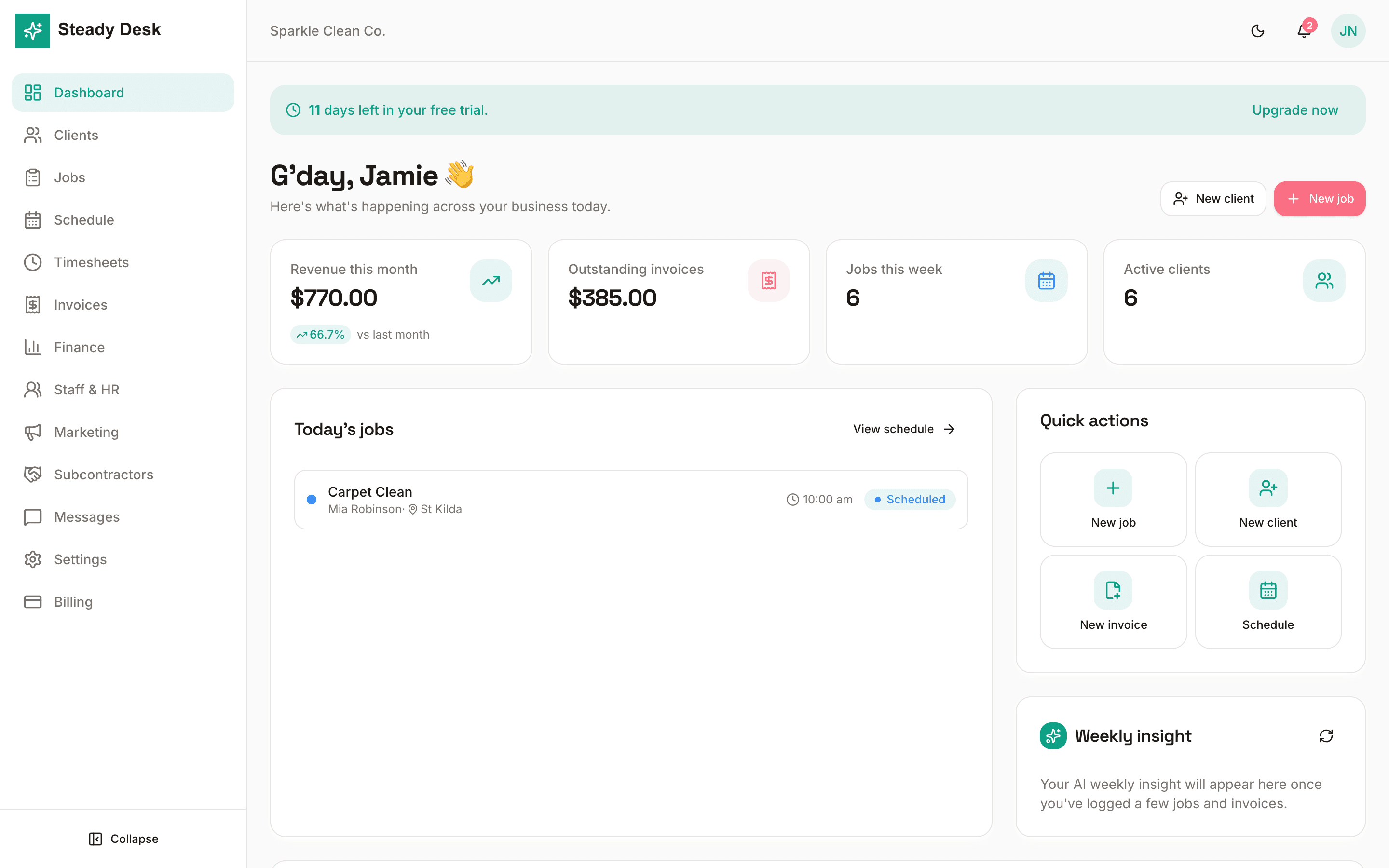
See exactly how Steady Desk looks
Full screenshots from the actual app, so owners can understand the product before signing in.
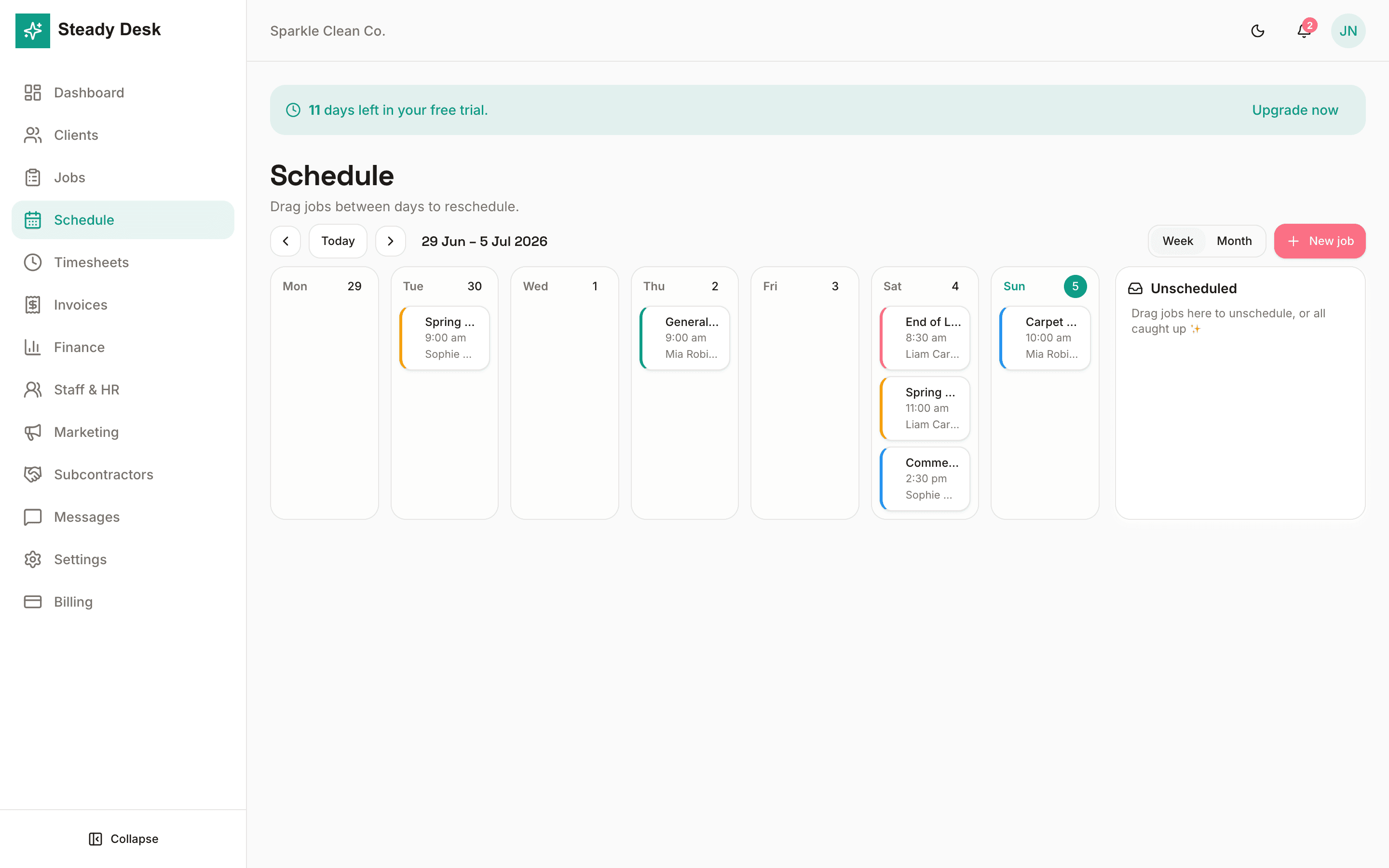
Plan the week without the whiteboard
Drag jobs across days, keep unscheduled work visible, and give the team a calendar everyone can trust.
- Week and month planning
- Recurring jobs
- Crew assignment
- Mobile-friendly field view
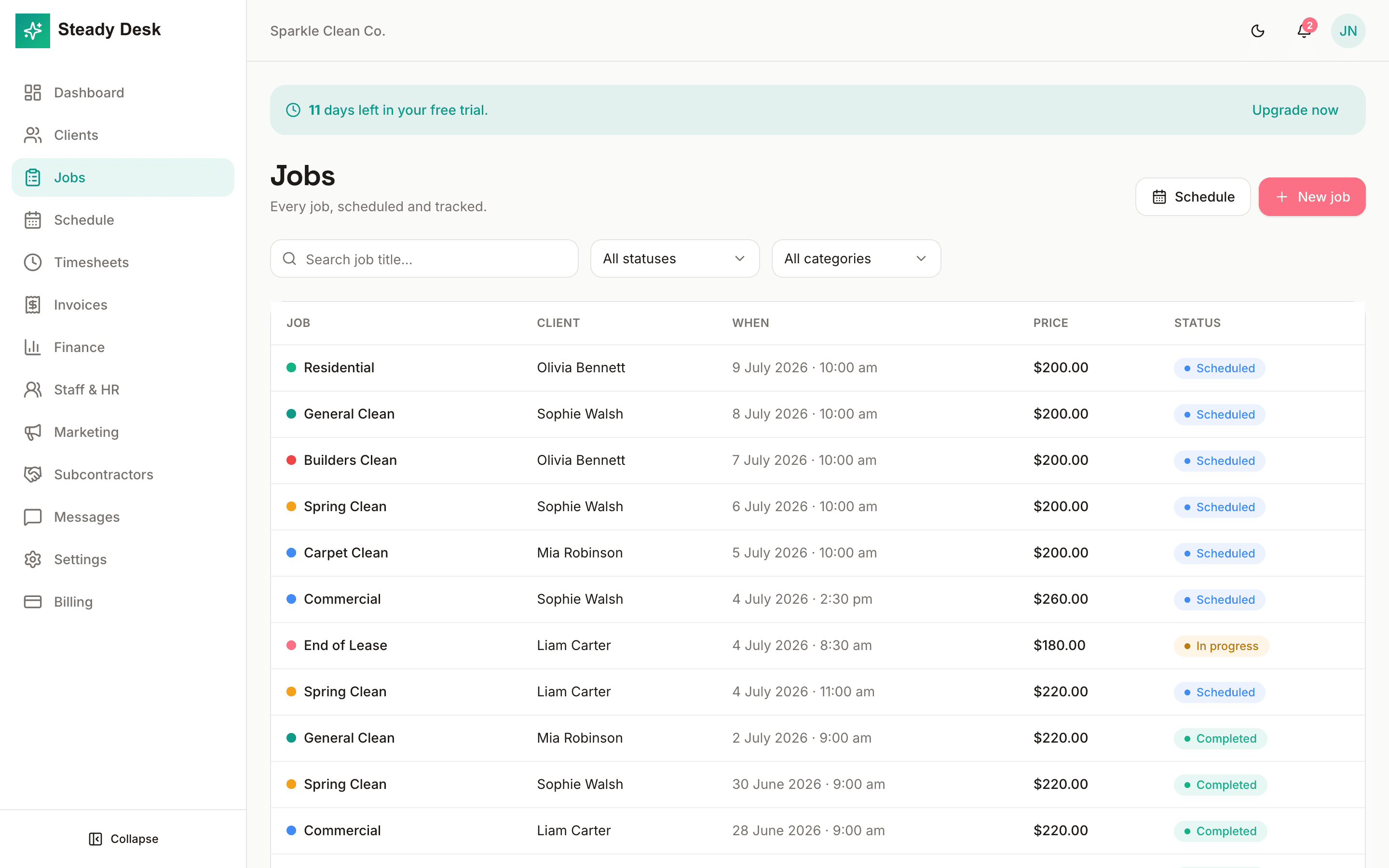
Track every job from booked to done
Keep client, price, checklist, timing, status and job history connected so nothing gets buried in text messages.
- Job status tracking
- Checklists and notes
- Before and after records
- Convert completed work to invoices
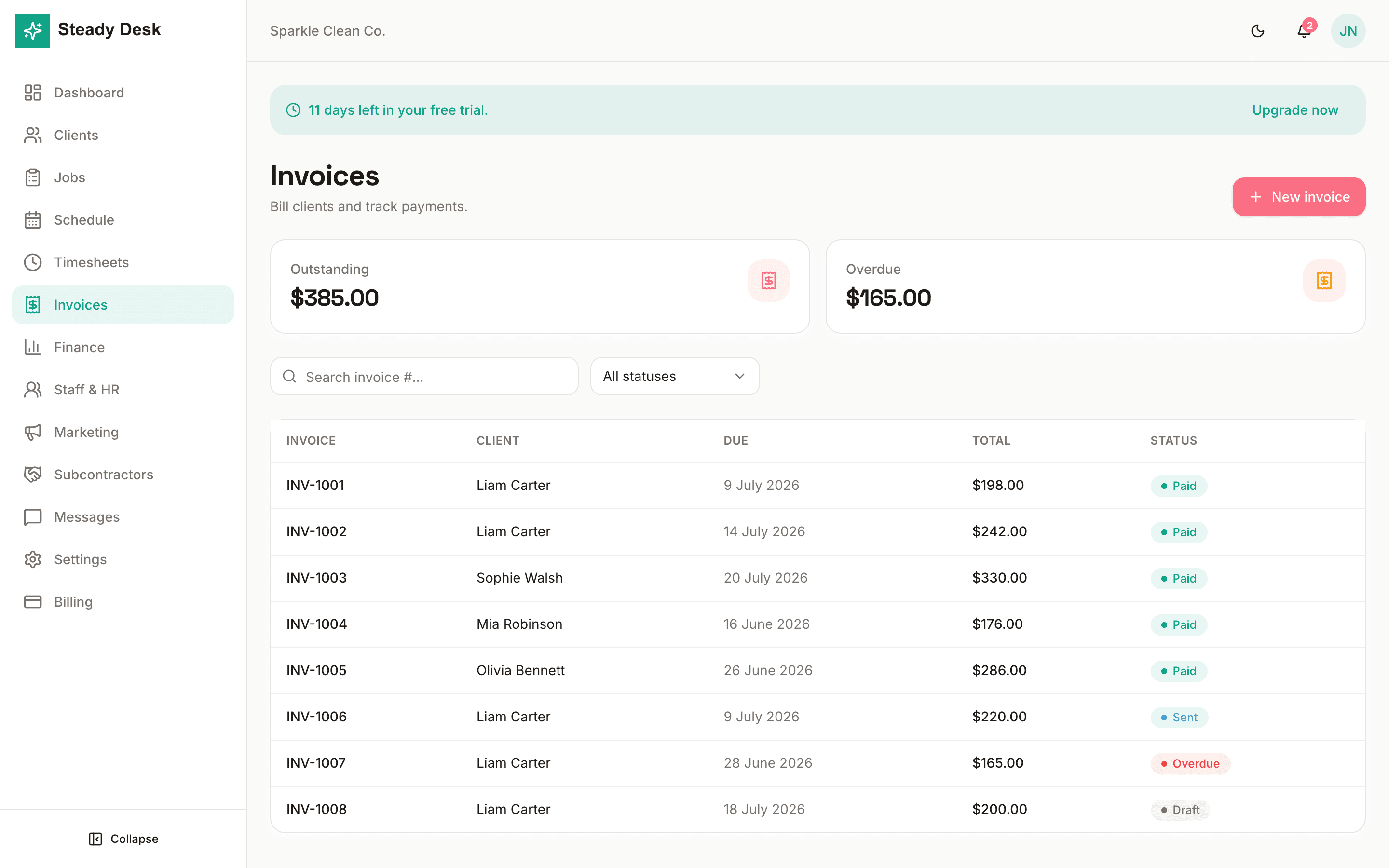
Invoice from the work already done
Create professional tax invoices, track paid and overdue work, and keep client billing tidy from one screen.
- GST-aware invoices
- Outstanding and overdue views
- Client-ready PDF records
- Payment status tracking
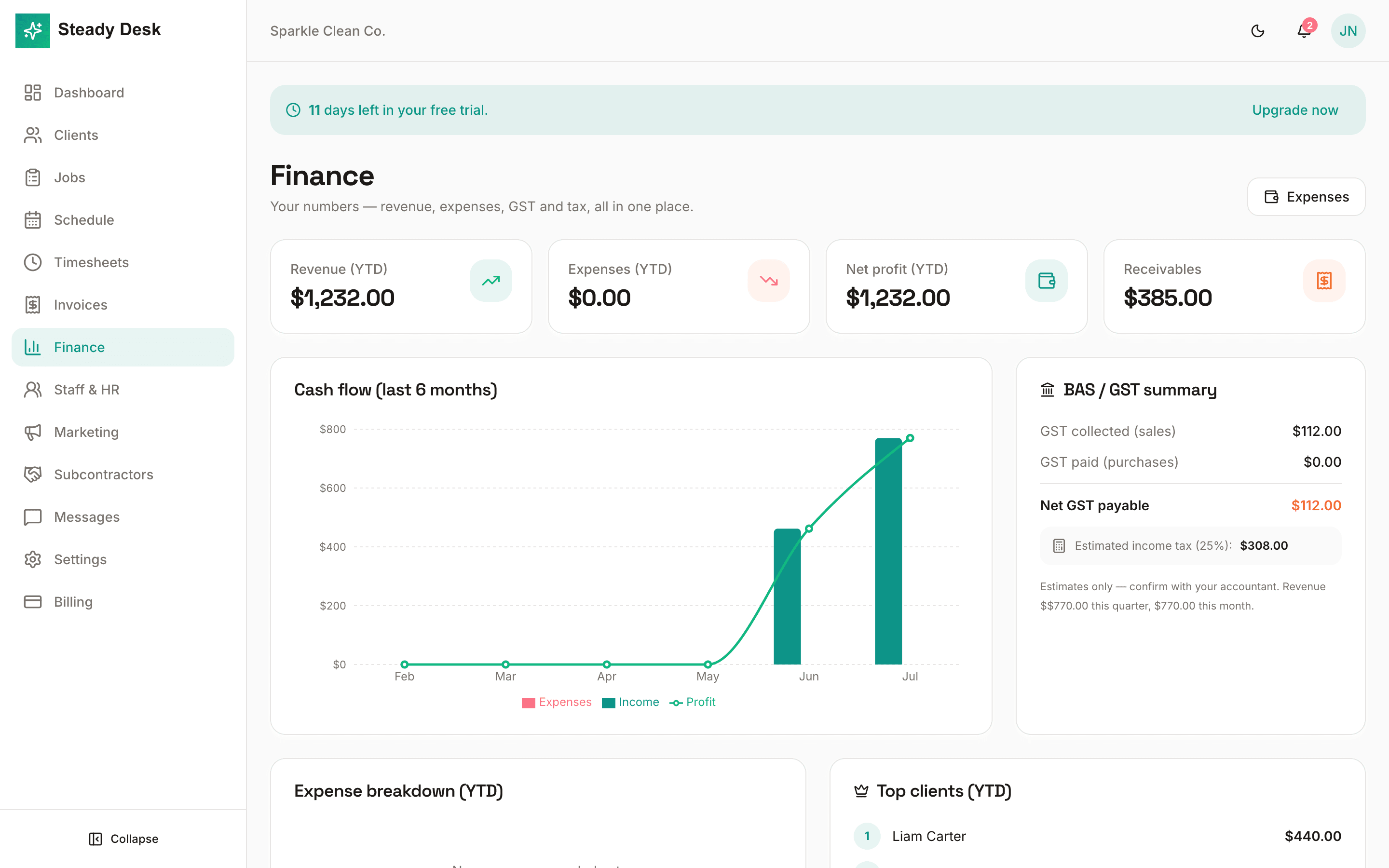
Know the numbers before month end
See revenue, receivables, cash flow, expenses and GST summaries without waiting for a spreadsheet catch-up.
- Cash-flow chart
- BAS / GST summary
- Expense tracking
- Top client reporting
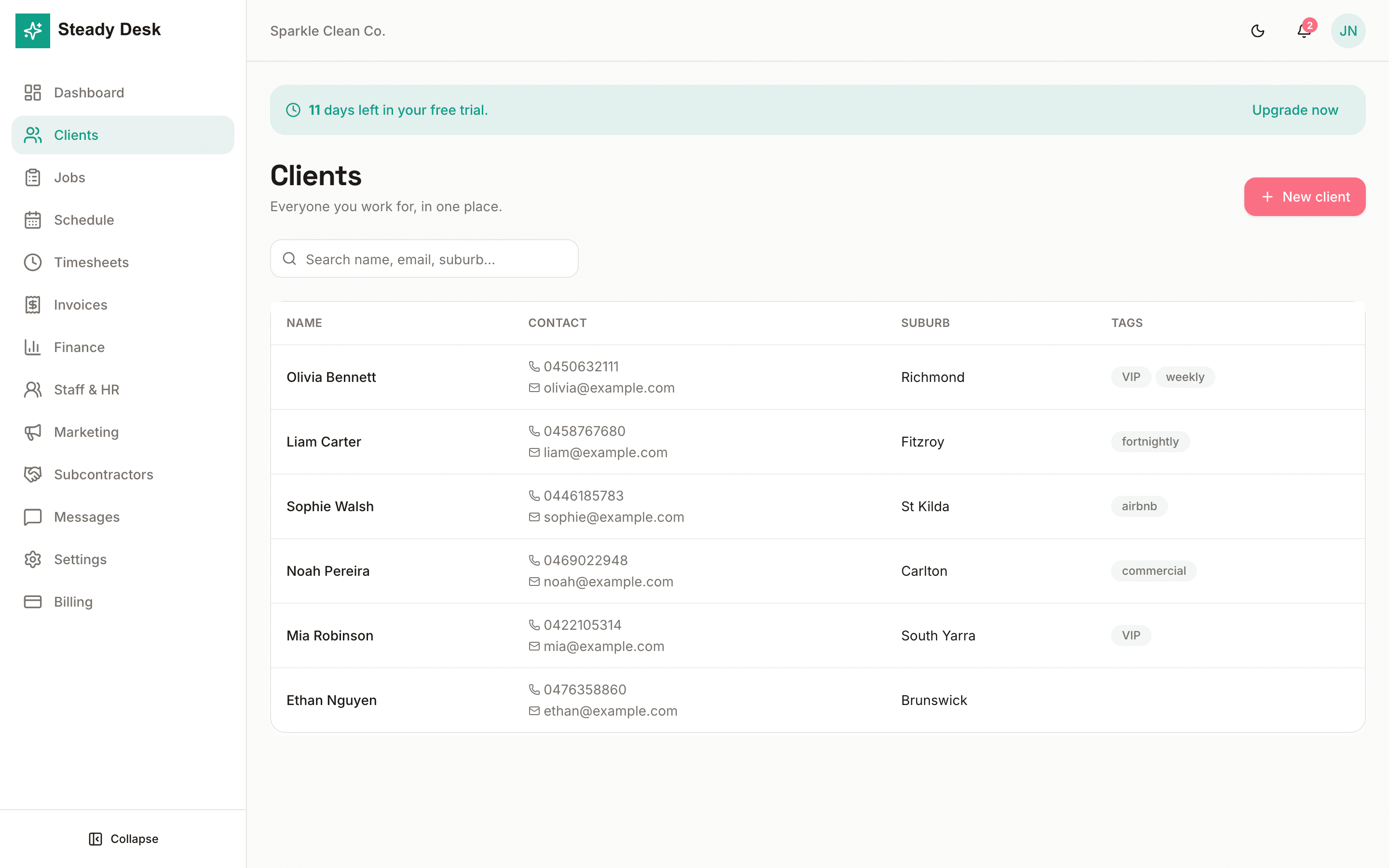
Keep client details useful on site
Store contacts, addresses, tags, care notes, job history and communication records where your team can find them.
- Client CRM
- Tags and search
- Job and invoice history
- Care notes and custom details
Short walkthrough videos
Quick explainers show the daily flow: plan the work, track the job, invoice and review the numbers.
Start the day from the dashboard
A quick look at the owner dashboard, daily jobs and the actions used most often.
Plan work on the schedule
See how scheduled and unscheduled jobs are organised across the week.
Invoice and understand cash flow
A short pass through invoices, payment status, cash flow and GST summaries.
Easy to understand, practical to use every day
Steady Desk is designed around the way service work actually moves: a client asks, a job gets booked, someone completes it, then the business gets paid and reviewed.
- 1
Set up the business
Add your business details, trade type, clients and common job categories so Steady Desk matches how you already work.
- 2
Book and assign work
Create jobs, schedule them on the calendar, assign staff or subcontractors, and keep the team aligned from their phones.
- 3
Complete, invoice and follow up
Turn completed work into invoices, monitor outstanding payments, and keep the financial picture current as the work happens.
More than a booking calendar
The core operating tools are connected, so the same job can move through scheduling, field work, invoicing, reporting and team admin without re-entry.
Timesheets
Clock-in records and hours stay tied to real jobs.
Team messages
Keep operational chatter inside the workspace.
Quotes and reports
Prepare estimates, export records and review performance.
AI assistance
Draft follow-ups, invoice lines and practical business insights.
Role-based access
Owners, admins and workers get the right level of visibility.
Private data
Each business workspace is isolated from every other business.
Questions before you start
What kind of businesses is Steady Desk for?
It is built for Australian trade and service operators: cleaning, plumbing, electrical, landscaping, maintenance, pest control, building, painting and similar job-based businesses.
Can staff use it from their phones?
Yes. Field staff can see assigned work, job details, messages and timesheet actions without needing access to your finance or admin areas.
Does it replace spreadsheets?
For daily operations, yes. It keeps clients, jobs, schedule, invoices, finance summaries and reports in one connected workflow.
Is setup complicated?
No. Start with clients and jobs, then add scheduling, invoices, staff and reporting as you need them.
Bring the whole business back to one desk.
Start with clients, jobs and invoices, then add staff, reporting and automation as your operation grows.
Start using Steady Desk